Features
A website with a blog or project dashboard.
“We finish jobs every week, but our website still shows the same three projects from when it launched.”
What I hear from business owners
Why it happens
Why a dashboard is worth it
New projects and articles are the easiest way to keep a site fresh and to show up for more searches. Each project page is real proof for the next customer, and each article answers a question someone is typing into Google.
It only works if posting is quick. A good dashboard has a handful of fields (title, photos, a few paragraphs) and publishes straight into your site’s design.
What I do
How I fix it.
See a working preview before you pay.
- 01
Design the content type
Project, article, team member, product: we decide the fields each one needs.
- 02
Build the dashboard
A clean editor where you fill in the fields and press publish.
- 03
Pages that build themselves
Each new entry gets its own page, listed in the right places and in your sitemap.
- 04
Fast for visitors
Content is built into the site, so pages still load fast and Google sees everything.
Real example
Perth Underpinning
Perth Underpinning’s projects section runs from a CMS dashboard, with individual project pages. Coombs Legal’s Insights section does the same for articles on WA and UK estate law.
Read the Perth Underpinning case study →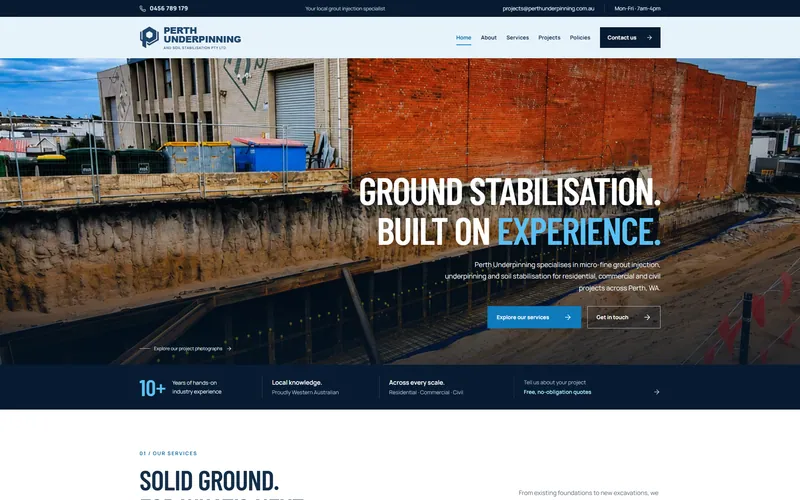
Price & timeline
What it costs, and how long.
- Price
- from $1,000 (up to 3 pages), extra pages $150 each; CMS Dashboard $350
- Timeline
- Working preview in ~7 business days; launch within 7 business days of your content.
- Payment
- Nothing until you approve the working preview
Can be added to an existing site I’ve built at any time.
See it working before you pay.
See a working preview before you pay. Tell me about your business and I’ll build a real, clickable preview of your homepage. No payment until you approve it.